Manage your member portal account

Welcome! You're in the right place.

Welcome! Here's where you can access and manage your account. Once you're logged in, head to My Account to manage and update your personal information—like your name, email, phone number, and payment method.

Already have an account? Log in here.


Register for an account

Recover your account

If you’ve lost access to your account, don’t worry — you can easily reset your login information below. Choose whether you need to recover your username or reset your password to get back into your account quickly.

How-to videos

Learn how to manage and access your Martin’s Point account with quick, step-by-step videos. These short tutorials cover the most common account tasks so you can stay connected and in control. Remember, you can always pause the videos as needed to follow along.

How to Register for Your Member Portal
How to Log In to Your Member Portal
Change Your Username and Password

Account Management FAQs

I have forgotten my username.

If you have forgotten your username, visit the Recover Your Username page. Enter the email address associated with your account. You will receive an email with your username and links to log in to your account.

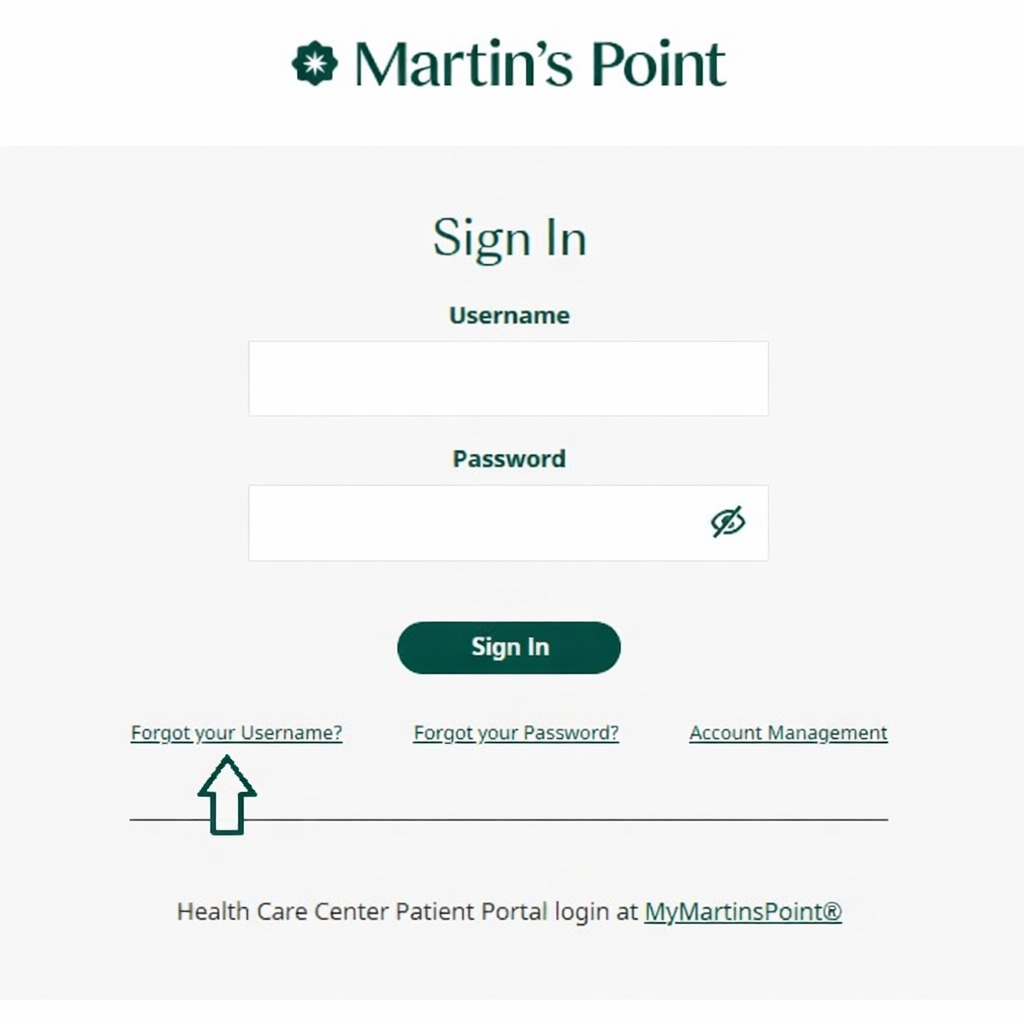
You can also click on “Forgot your Username” from the Member Portal log-in screen:

Martin’s Point sign-in page highlighting the “Forgot your Username?” link
I want to change my username.

To change your username, log in to your member portal account. Click on “Manage Account” in the upper right corner. Then click “Change Username” on the right side and follow the prompts.

Watch this video for step-by-step guidance:Change Username and Password

Are there username security requirements?

Yes. When creating a username, you must follow these requirements:

  • Username must begin with a letter.
  • It must contain between 6–128 characters.
  • It may contain letters, numbers, and characters.
  • It may not end with a space.
I did not receive an email with instructions to reset my username.

If you don’t receive the reset email within a few minutes, check your spam or junk folder. If it’s not there, try resending the reset request from the log-in page.

If you still don’t receive it, please contact Martin’s Point Member Services for help verifying your account and assisting with the reset process.

Who can I contact for help?

You can contact Martin’s Point Member Services for assistance with logging in or account issues.

I have forgotten my password.

If you have forgotten your password, you can visit Forgot Password to reset it.

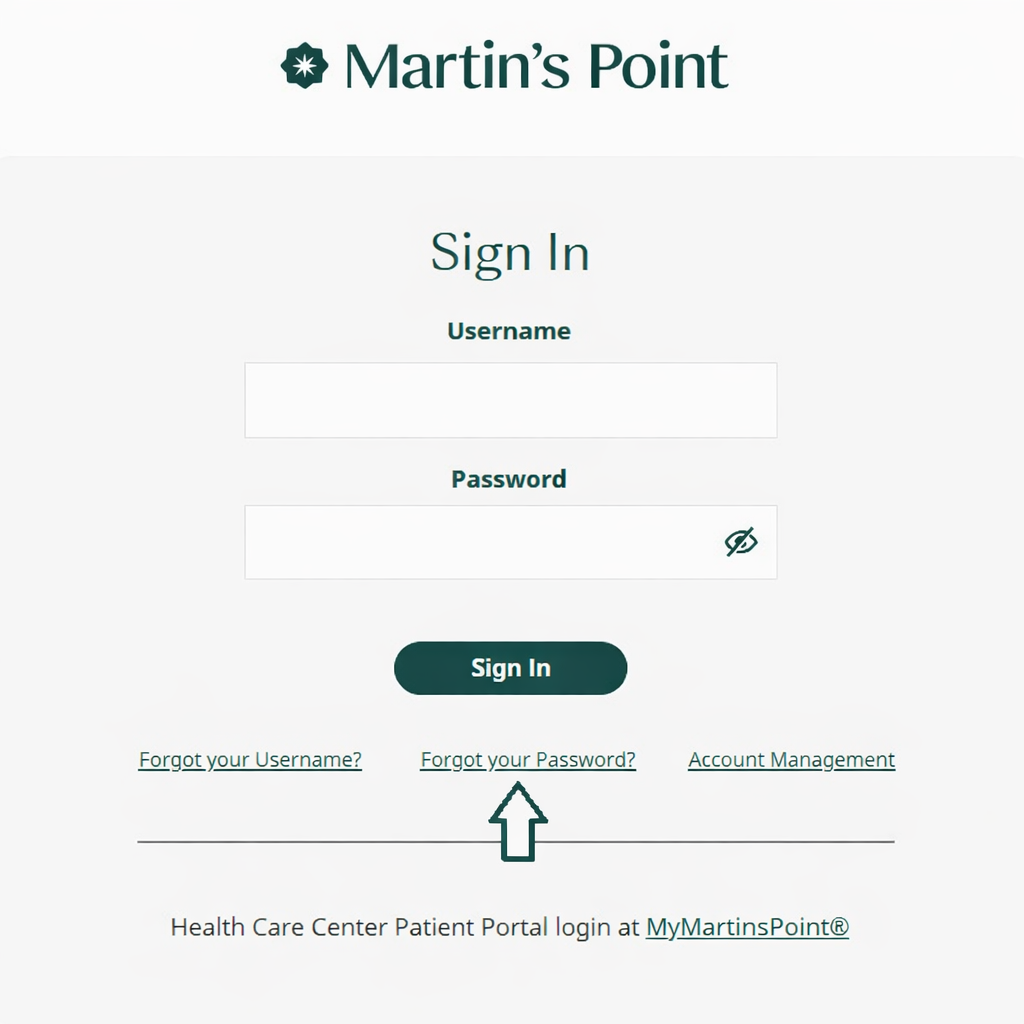
You can also click on “Forgot your Password from the Member Portal log-in screen:

Martin’s Point sign-in page highlighting the “Forgot your Username?” link
I want to change my password.

To change your password, log in to your member portal account. Click on “Manage Account” in the upper right corner. Click “Change Password” on the right side and follow the prompts.

Watch this video for step-by-step guidance:Change Username and Password

Are there password security requirements?

Yes. When creating a password, you must follow these requirements:

  • Must be 9 characters or longer
  • Must contain 3 of the 4 following types of characters:
    • Numbers
    • Upper Case Letters
    • Lower Case Letters
    • Special Characters: [space] ~ ! @ # $ % ^ & * ( )
Does my password expire?

No, your password does not expire. You may change your password whenever you like, but not more than once in a 24-hour period.

I did not receive an email with instructions to reset my password.

If you don’t receive the reset email within a few minutes, check your spam or junk folder. If it’s not there, try resending the reset request from the log-in page.

If you still don’t receive it, please contact Martin’s Point Member Services for help verifying your account and assisting with the reset process.

Who can I contact for help?

You can contact Martin’s Point Member Services for assistance with logging in or account issues.

How do I log in to my member portal account?

To log in to your member portal account, visit MartinsPoint.org. In the top navigation, click “Sign In | Register.” Then, click on the member portal account you are trying to access.

Watch this video for step-by-step guidance: How to Log In to Your Member Portal

How do I register for my member portal account?

To register for your member portal account, you will need your Generations Advantage Member ID (found on your ID card). You cannot register for a member portal account until after your coverage begins.

Watch this video for step-by-step guidance: How to Register for Your Member Portal

I am enrolled in both Generations Advantage and US Family Health Plan. Can I use the same username and password for both accounts?

No, you must use different usernames and passwords if you are enrolled in both Martin’s Point health plans as these are two separate accounts.

If I change Generations Advantage plans, does my member portal account stay the same?

Yes, if you change Generations Advantage plans, your member portal account will stay the same. The plan change will be reflected in your portal.